







Netflix
 Confiável
 10+
10+


 PEGI-3
Descrição do Netflix
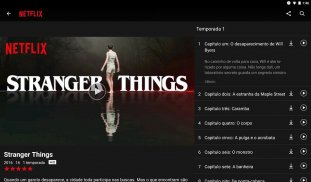
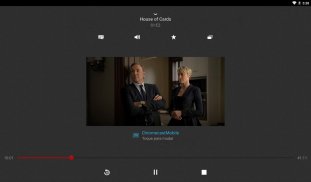
Netflix é o serviço de streaming mais popular do mundo, com mais de 200 milhões de usuários e disponível em mais de 190 países. Os serviços de vídeo sob demanda são a nova realidade, que transformou a forma de assistir nossos programas de TV, séries, filmes, desenhos animados, documentários e muito mais! E a Netflix é a escolha certa para fazer o download em seu dispositivo Android e começar a desfrutar de um enorme acervo com centenas de títulos, incluindo alguns exclusivos da Netflix, como La Casa de Papel, Wandinha ou Round 6! A melhor parte é que o aplicativo da Netflix para Android é totalmente otimizado para o seu dispositivo, ou seja, possui controles de visualização incríveis para navegar pelo seu episódio favorito, categorias de conteúdo criativas e específicas, bem como um sistema de recomendação incrível com base no conteúdo que você já assistiu.
Após fazer o download do app da Netflix em seu dispositivo Android, o primeiro passo será entrar em sua conta ou se cadastrar em uma das assinaturas disponíveis. Essas assinaturas são oferecidas em diferentes planos, levando em consideração o número de usuários que podem acessar a Netflix simultaneamente e a qualidade de vídeo desejada. Independentemente do plano escolhido, você terá acesso ilimitado ao catálogo em constante expansão da Netflix.
O catálogo da Netflix é imenso e inclui uma ampla variedade de conteúdos. Desde séries e filmes premiados até documentários, realities de TV e especiais de stand-up comedy, a Netflix tem algo para praticamente todos os gostos. A diversidade de conteúdo na Netflix não se limita apenas a categorias, mas também a épocas e culturas. Você pode encontrar desde filmes e séries clássicos dos anos 90 e os últimos blockbusters, e pode acompanhar uma produção famosa do seu próprio país ao lado de uma criação recém-chegada do outro lado do mundo. Isso significa que ao fazer o download do aplicativo da Netflix em seu dispositivo Android, você não apenas terá centenas de horas de entretenimento, mas também uma porta para novas culturas e informações de todo o mundo. O catálogo da Netflix é atualizado diariamente, o que significa que você verá constantemente novas séries, programas de TV, documentários e filmes sendo adicionados o tempo todo. Muito do conteúdo que você encontra na Netflix é exclusivo da plataforma, ou seja, não está disponível em nenhum outro serviço de streaming.
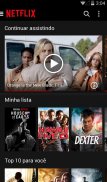
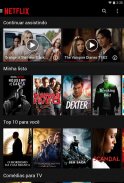
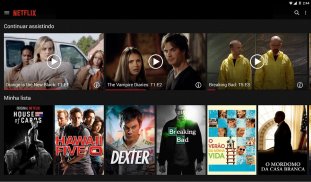
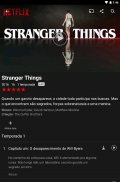
Quanto à descoberta, o app da Netflix para Android traz recursos bastante interessantes para você encontrar o título específico que está procurando. Obviamente, você tem a opção de pesquisar, que traz um recurso de autocompletar muito útil, evitando que você gaste muito tempo digitando com o controle remoto da TV. Isso permite até mesmo pesquisar títulos que ainda não estão no catálogo da Netflix, possibilitando encontrar opções semelhantes. Caso você queira apenas descobrir novas opções para assistir, a página inicial da Netflix inclui categorias criativas com base nas suas preferências e no que você já assistiu anteriormente. Dessa forma, as recomendações são sempre precisas e, quanto mais você assiste, melhor elas se tornam! Para os casos em que você não terminou de assistir a um filme ou parou no meio de uma temporada de uma série, basta ir à seção "Continuar Assistindo" e retomar de onde parou.
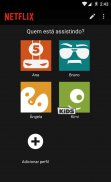
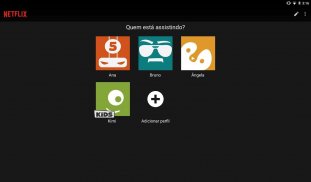
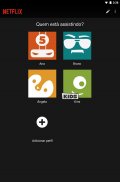
Pensando nos pequenos da casa, a Netflix oferece um recurso especial que permite criar um perfil no aplicativo exclusivamente para exibir conteúdo apropriado para crianças. Com uma vasta seleção de títulos amigáveis para crianças, como Patrulha Canina, a Netflix é uma opção segura e confiável para garantir que o conteúdo seja acessado apenas pelo público certo.
A qualidade da imagem na Netflix varia de acordo com o plano de assinatura escolhido, podendo ir desde uma qualidade padrão até Ultra HD (4K). Em termos de legendas, a Netflix oferece uma ampla variedade de opções, incluindo a versão original e legendas no seu próprio idioma para a maioria do catálogo.
Netflix - Versão 9.24.0 build 1 63138
(07-07-2025)


Netflix - Informações do APK
Versão do APK: 9.24.0 build 1 63138Pacote: com.netflix.mediaclientO que é o Netflix?
O Netflix é um serviço de streaming que oferece aos usuários de todo o mundo a oportunidade de assistir às melhores séries, filmes, documentários e programas de TV. Ao baixar o app do Netflix em seu dispositivo Android e se inscrever, você pode desfrutar do seu conteúdo favorito de forma ilimitada!O app Netflix é o mesmo que o Netflix?
Sim, o app Netflix é a ferramenta para assistir à Netflix no seu dispositivo Android. Você pode baixá-lo em seu telefone ou tablet e, assim que estiver inscrito, você poderá começar a assistir os seus conteúdos favoritos.Como baixar a APK do Netflix?
Para baixar a APK do Netflix, você só precisa tocar no botão Download acima e seguir alguns passos rápidos.Quais são os requisitos para a APK do Netflix?
Embora os requisitos da APK do Netflix possam variar de acordo com cada dispositivo, ele é compatível com qualquer dispositivo Android que possua a versão mínima do Android 2.3. A versão mais recente da APK do Netflix requer o Android 7 ou uma versão superior para ser executado corretamente.Quais os benefícios do app do Netflix?
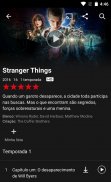
O Netflix oferece a você a possibilidade de assistir aos melhores filmes, séries, documentários e até programas de TV onde quer que esteja, e quantas vezes quiser. Ele possui recursos muito úteis, como a opção de baixar seus programas para assistir offline e perfis específicos para crianças, garantindo uma experiência personalizada e conveniente.O Netflix permite baixar para o app ou dispositivo?
Sim, com o app do Netflix, você pode baixar conteúdos para assistir seus filmes, séries ou documentações favoritas de forma offline.Como utilizar o Netflix em seu Android?
Para usar o Netflix em seu dispositivo Android, basta instalá-lo clicando no botão de download acima. Em seguida, você precisará se inscrever em um plano para ter acesso a um mundo repleto de conteúdos!Última versão de Netflix

Outras versões




















Apps na mesma categoria








Você também poderá gostar...
 3.78
3.78 4.22
4.22 4.42
4.42 3.23
3.23
 4.4
4.4 4.01
4.01


